You charge your phone to 100%, put it in your pocket, and a few hours later, it’s already below 40%. You barely used it, yet the battery drains fast and keeps stressing you out. Overnight drops, random heating, sudden shutdowns at 20% — this isn’t just you. It’s a common problem most smartphone users face today.
Here’s the truth: in most cases, nothing is permanently broken. Background apps, weak network signals, and small daily settings quietly eat up power without you noticing. The good news is that you usually don’t need a new phone or battery. Once you understand the real causes, a few practical changes can noticeably improve battery life within a day.
Why This Problem Happens
Most of the time, your phone isn’t faulty— it’s just working harder than you think.
Apps run in the background, networks keep searching, and the battery slowly loses strength with age. In poor signal areas, the phone continuously increases transmission power.
Over time, the battery also struggles to deliver steady power, especially at lower percentages.
Common Signs Users Notice
- The phone feels warm even when scrolling or doing nothing.
- The battery drops fast while the screen is off.
- Big battery loss overnight without any use.
- Phone shuts down suddenly at 20–30%.
- Battery percentage feels unreliable or jumps quickly.
- Heat increases when using maps, social apps, or mobile data.
Practical Fixes That Help
1. Check background apps.
Close or restrict apps that don’t need constant syncing. This lets the phone rest properly.
2.Turn off unused connections
Disable GPS, Bluetooth, or Wi-Fi when not needed. Less searching means less drain.
3. Avoid poor signal zones when possible.
If the signal is weak, switch to airplane mode when idle. It stops constant network hunting.
4. Restart the phone once in a while.
- This clears stuck processes that silently eat battery in the background.
5.Calibrate the battery
Let the phone drain close to zero once, then charge fully without interruption.
This helps the percentage reading become more accurate.
Close or restrict apps that don’t need constant syncing. This lets the phone rest properly.
Disable GPS, Bluetooth, or Wi-Fi when not needed. Less searching means less drain.
If the signal is weak, switch to airplane mode when idle. It stops constant network hunting.
- This clears stuck processes that silently eat battery in the background.
Let the phone drain close to zero once, then charge fully without interruption.
This helps the percentage reading become more accurate.
Why Mobile Phone Batteries Drain Fast (And How to Fix It)
One common reason for fast battery drain is everyday usage that quietly consumes power. High screen brightness, heavy apps like video streaming or gaming, and features such as location services or Bluetooth left on keep the phone working continuously. This steady demand often goes unnoticed but drains power throughout the day.
Slightly adjusting these settings can immediately reduce unnecessary battery usage and improve daily battery life.
Another major cause is background activity and network behavior over time. Apps may continue syncing even when not in use, and poor network signals force the phone to work harder to stay connected. An aging battery also slowly loses its ability to hold a charge, especially at lower percentages.
Checking usage habits and battery condition helps identify where the problem starts.
How to Fix Battery Draining Fast on Mobile Phones
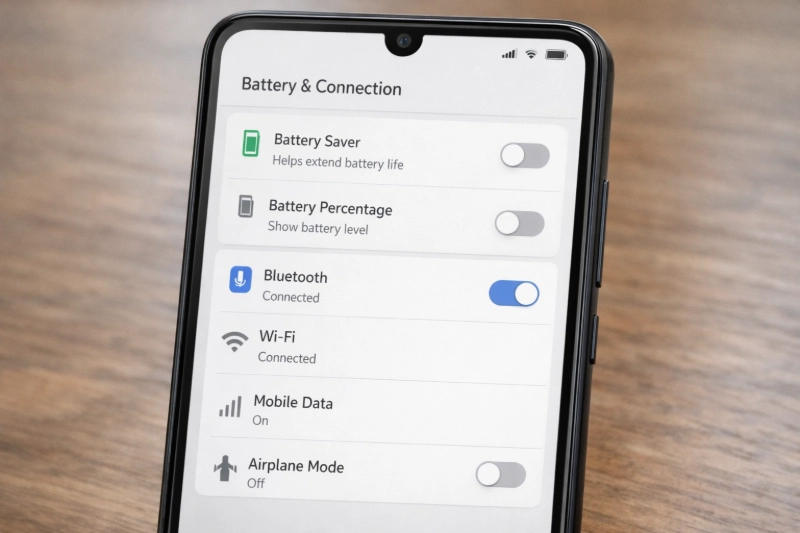
Start by fixing everyday usage habits and basic settings, because these usually have the fastest impact. Keep screen brightness at moderate levels, enable auto-brightness, and reduce how long the screen stays on to lower power consumption.
Turning off features like location, Bluetooth, or hotspot when they are not needed allows the phone to rest instead of constantly searching for connections. After making these changes, most users notice slower battery drain during normal use such as calls, browsing, or messaging.
Next, focus on apps, network behavior, and overall phone health. Check which apps consume the most power and limit unnecessary background activity to prevent silent drain.
Using a stable network instead of struggling with weak signals reduces extra power load. Keeping the phone’s software updated also improves efficiency. If the device is old and battery life remains poor, battery calibration or replacement may be necessary, resulting in better standby time and more reliable all-day usage.
Android users can also review Google’s official battery optimization guidelines to better understand how background activity affects battery life.
Apple also explains how battery aging impacts performance and when replacement becomes necessary for iPhones.
Android vs. iPhone Battery Management Actually Matters
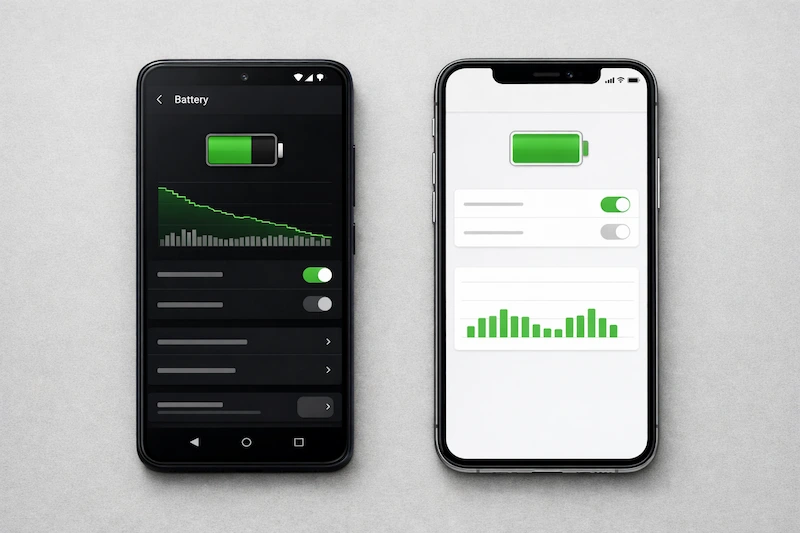
Android gives users control, and that control directly affects battery life. Battery Saver doesn’t just reduce brightness; it limits background activity and system performance to cut power usage. The key advantage is app-level management. Apps can be forced into deep sleep so they don’t sync or run in the background. When configured properly, this leads to steadier battery drain and better overnight standby. The downside is responsibility—over-restricting apps can delay notifications
iPhone takes a more automated approach. iOS freezes most apps as soon as they leave the screen, keeping background activity predictable with minimal user intervention. Battery drain usually comes from Background App Refresh being enabled too broadly. The benefit is consistency. Battery behavior remains stable day to day, and when performance is reduced, iOS clearly explains the reason instead of leaving users guessing
When Battery Replacement Is the Only Option
When a phone’s battery health drops too low, or the device is already a few years old, software fixes stop making any real difference. If the phone is around two to three years old, this behavior is expected and unavoidable with normal aging. When physical signs like the screen lifting or the back cover bulging appear, it’s no longer just about poor battery life, but also about safety. At that point, battery replacement is the only practical and responsible option.
Simple Tips to Protect Your Phone Battery
Preventing battery problems mostly comes down to simple daily habits. Avoid keeping your phone plugged in overnight regularly, as constant full charging slowly reduces battery health.
Try not to use the phone while it is charging, since this increases heat and puts extra strain on the battery. Always use original or certified chargers to ensure stable and safe power delivery.
Keeping your phone’s software updated also helps, as updates often improve power management and reduce unnecessary battery drain over time.
Conclusion
In most cases, fast battery drain is not a defect but a usage and aging issue. Fixing habits and managing apps should always come before replacing hardware unnecessarily.
Frequently Asked Questions
How do I stop my battery from draining so fast?
Lower screen brightness, restrict background apps, and turn off unused features to reduce battery drain quickly.
Why does a 100% battery drain so fast?
Background activity and screen usage begin immediately after a full charge, causing faster drops at higher percentages.
Why is my Android battery draining fast after an update?
After an update, the system and apps may temporarily use more power until optimization completes.
Lower screen brightness, restrict background apps, and turn off unused features to reduce battery drain quickly.
Background activity and screen usage begin immediately after a full charge, causing faster drops at higher percentages.
After an update, the system and apps may temporarily use more power until optimization completes.