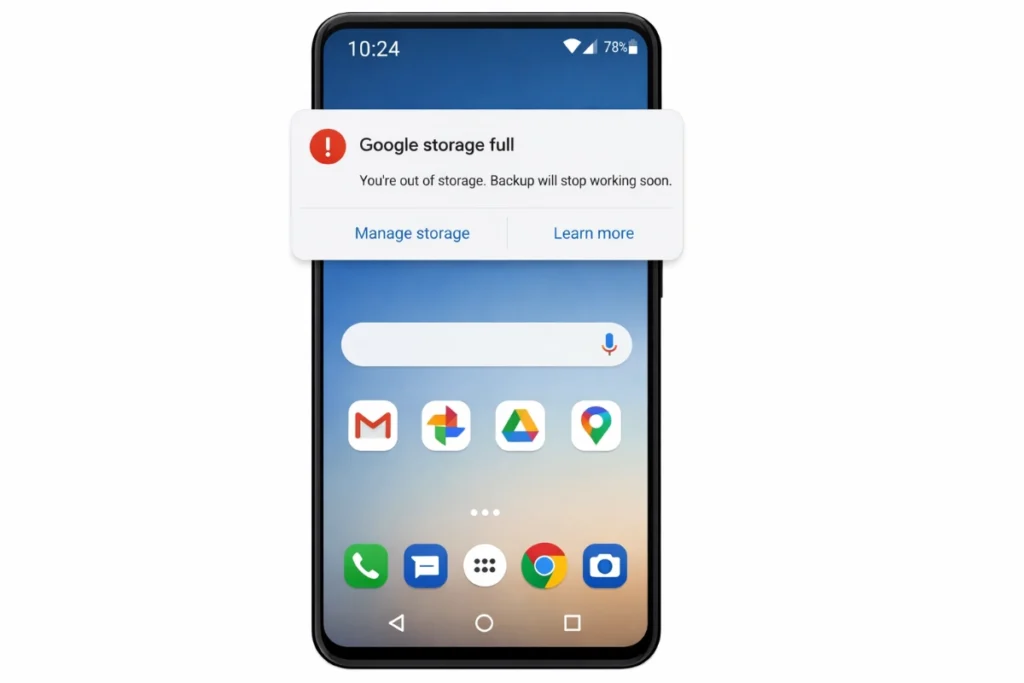
Is your Google Drive storage full? Or perhaps your Google Backup My Photos process has stopped because of space issues?
Seeing the “Google Drive Storage is Full” warning is terrifying. You might miss important bank OTPs, job offers, or lose precious memories. Most users rely on the free 15GB Google storage account. However, since this space is shared across Gmail, Google Photos, and Google Drive, it fills up incredibly fast.
When you hit the limit, you face a choice: perform a massive Google Drive cleanup or pay for more storage.
Disclaimer: This guide is for informational purposes. Deleting files from your Google Drive (G Drive) or Photos is a permanent action. Please review your files carefully before emptying the Trash.
Understanding Google One Storage & Google Drive Memory
Many users are confused about where their data actually goes. Whether you use Google Drive web, Google Drive desktop, or the mobile app, it all counts toward one unified limit called Google One storage.
Your 15GB Google Drive memory is essentially split between three giants:
- Gmail data storage (Emails & Attachments)
- Google Drive data storage (PDFs, Videos, Docs stored in My Google Drive)
- Google One cloud storage (High-quality Photo backups)
To check your exact status, you can visit GoogleDrive.com or check the storage meter in your app.
Step 1: Fix Google Drive Storage Full Warning
Before looking at the price of Google Drive storage, let’s try to clean up the existing junk to save money.
1. Clean Up Large Files in G Drive Cloud Storage
Your Google Drive often contains large files you forgot about, such as old movie files or ZIP archives.
- Log in to Google Drive.
- Click on “Storage” on the left side to sort files by size.
- Delete large files that are eating up your Google Drive cloud storage.
- Pro Tip: Check for hidden app data. Sometimes, old backups from Google Drive to cloud storage connections (such as games or old apps) can take up hidden space.
2. Optimize Backup My Google Photos Settings
For many, the main reason for full storage is backup my Google Photos.
- Open Google Photos and look for blurry images or long videos.
- If you find that my backup Google Photos settings are set to “Original Quality,” they consume your G Drive cloud storage quota rapidly.
- The Fix: Switch to “Storage Saver” mode in settings to compress them without deleting them.
3. Fix Gmail Storage Full (Delete Attachments)
Your Gmail storage isn’t filled by text emails, but by heavy attachments.
- Search for has: attachment larger:10M in Gmail.
- Delete old files to free up space in your Google storage account.
Step 2: Handling Google Storage Backup for WhatsApp (Android)
If you are an Android user, check your Google storage backup settings. Recently, WhatsApp backups started counting toward your Google One Drive limit.
If you have a 5GB WhatsApp backup containing years of “Good Morning” videos, it’s immediately eating up 30% of your free Google Drive/G Drive space!
- Action: You might need to delete old Google Drive backup files to make room.
- Future Proof: Go to WhatsApp Settings > Chats > Chat Backup and turn OFF “Include Videos.”
This step can quickly free up several GB, especially for those with many documents
Step 3: Check Desktop Syncing
If you use Google Drive for Mac or Windows, ensure you aren’t syncing unnecessary folders from your Google Drive to computer. Sometimes, we accidentally sync the “Downloads” folder, filling up the cloud instantly.
Step 4: Google Drive Pricing, Cost & Plans
If you have cleaned everything and your G Drive storage is still full, you might need to upgrade. This service is now branded under Google One.
Here is a quick look at Google Drive storage pricing (estimates):
- 100 GB: The most popular starter plan. The Google Drive storage cost is usually around ₹130/month (or $1.99).
- 200 GB: A slight increase in Google storage pricing gives you double the space.
- 2 TB: Ideal for families wanting to share Google Drive cloud storage.
Is Google Drive Storage Cost Worth It?
If you rely on Google Backup My Photos to save family memories, the Google Drive storage charges are a small price to pay for safety. It is often cheaper than buying a physical hard drive or a new phone with higher memory.
Conclusion
Facing a Gmail storage full warning is stressful, but you have options. You can either perform a rigorous Google storage cleanup to reclaim your free 15GB or opt for a paid plan.
Review the G Drive pricing carefully and decide what works best for your needs. Whether you stick to the free Google Drive limit or upgrade to Google One cloud storage, keeping your digital life organized is essential.
Also Read: Now that your data is fixed, you will likely use your phone for heavy tasks like gaming or streaming. If your device is getting uncomfortably hot, check out the causes and solutions in our guide on how to fix phone heating issues
FAQs
You likely didn’t empty the Trash. Deleted items in Google Drive and Photos remain in the bin for up to 60 days, taking up space. Empty the trash to fix it.
It is a lifetime limit for the free Google storage account. It does not refresh every month like mobile data.
? Yes, by choosing annual plans, you often get a discount on Google Drive storage pricing compared to monthly billing.