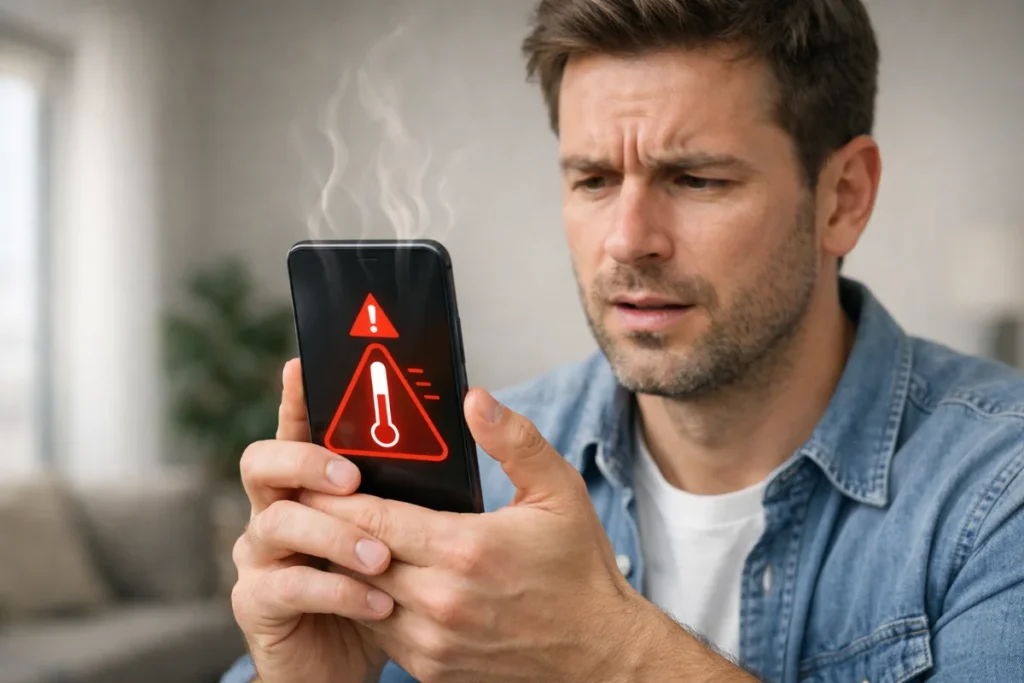
Smartphones are powerful, compact computers. That power comes with a common problem: phone heating. If your phone feels hot during gaming, charging, or normal use, you are not alone. In India, heavy mobile users, gamers, and everyday users face this issue daily.
In the following sections, you will learn what causes phone overheating, how to recognize when it becomes hazardous, and practical solutions you can apply right away. No myths. No overpromises. Only facts, actionable steps, and proven results.
Understanding the Phone Heating Issue in Simple Terms
A phone heats up when its processor, battery, or circuits work harder than normal. Like a laptop fan spinning faster under load, a phone generates heat when pushed beyond its limit. The real problem is uncontrolled or frequent overheating, not heat itself.
Occasional warmth is normal. Constant heat is not. If ignored, overheating reduces performance, drains battery faster, and shortens your phone’s lifespan.
Main Reasons Why Your Phone Is Heating Up

Heavy Usage and High Processor Load
Gaming, video editing, live streaming, and multitasking push the CPU and GPU to their limits. Games like BGMI, Call of Duty Mobile, and Genshin Impact demand high graphics and a constant internet connection, creating sustained load and heat buildup.
Budget and mid-range phones heat up faster because their cooling systems are limited. Even flagship phones can overheat if used continuously without breaks.
Poor Network and Constant Signal Searching
Weak mobile signal is an underrated cause of phone heating issues. When network coverage is poor, your phone keeps searching for a signal. This process consumes more power and generates heat, especially during calls or mobile data usage.
This is common in basements, lifts, rural areas, or during travel.
Charging Habits and Fast Charging Stress
Using fast chargers, cheap cables, or charging while using the phone increases internal temperature. Fast charging pushes more current into the battery. If the phone is also being used for gaming or videos, the heat multiplies.
Charging under pillows or on beds traps heat and makes things worse.
Background Apps and Software Issues
Many apps run silently in the background. Social media, cloud sync, location services, and poorly optimised apps use CPU and internet even when inactive.
Outdated software or buggy updates can also cause abnormal battery drain and heating. Buggy updates are software changes that contain errors or glitches affecting phone performance.
Environmental Factors and External Heat
India’s climate plays a big role. Using your phone in sunlight, in a parked car, or during peak heat raises your baseline temperature. With usage, overheating becomes unavoidable.
Thick phone covers made of rubber or leather also trap heat.
Is Phone Heating Dangerous? Know the Real Risks
Short-Term Effects You Can Notice
Your phone may lag, experience slow performance, dim the screen, or close apps. Gaming frame rates drop. Battery drains faster. These are safety features, not bugs.
Long-Term Damage You Should Worry About
Frequent overheating damages battery health. Lithium-ion batteries lose capacity faster due to heat. The processor and charging IC also face long-term stress.
In extreme cases, overheating can cause battery swelling or sudden shutdowns.
Also read: Clear Unnecessary Files: A cluttered phone is a hot phone. To reduce the load on your CPU, you must delete junk. Learn how to clean up Google storage & free up 15GB space to help your phone run cooler.
How to Fix Phone Heating Issue Effectively
Reduce Load and Change Usage Patterns
Avoid long gaming sessions without breaks. Lower graphics settings and frame rates in games. Close unused apps manually. Don’t multitask heavily for long durations.
Small changes in usage make a big difference in temperature control.
Improve Network and Connectivity Usage
Switch to Wi-Fi when possible instead of mobile data. If the signal is weak, use airplane mode when not using the phone. This prevents constant signal searching.
For calls in low-signal areas, Wi-Fi calling is a better option if supported.
Fix Charging-Related Phone Heating Problems
Always use the original charger or a certified fast charger. Avoid charging while gaming or watching videos. Charge your phone on a hard, flat surface with good airflow.
If your phone heats up a lot during charging, turn off fast charging from settings if available.
Manage Apps and Software Smartly
Uninstall unused apps. Restrict background activity (limit how much the app runs when not open) for social media and shopping apps. Clear the cache (temporary files stored by apps) occasionally. Avoid task-killer apps—they often make things worse.
Keep your phone updated using official updates from manufacturers like Google for Android or Apple for iPhones. Updates often include thermal and battery optimisations.
Control Environmental and Physical Factors
Remove the phone cover during gaming or charging. Avoid direct sunlight. Never leave your phone in a car. If the phone feels too hot, stop using it and let it cool.
Do not use refrigerators or cold water. Sudden temperature change damages internal components.
Gaming-Specific Tips to Control Phone Heating
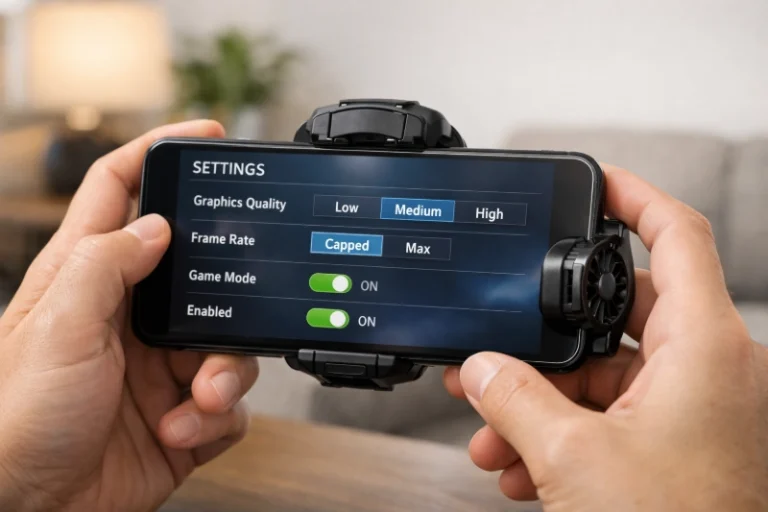
Optimise In-Game Settings
Lower graphics quality, turn off shadows, and cap frame rates. These steps reduce GPU load. Performance stays smooth, but heat drops.
Use Game Mode and Performance Controls
Most phones from brands like Samsung, Xiaomi, and OnePlus offer game modes. These control background processes and optimise thermal performance.
If your phone has a performance or balanced mode, avoid keeping it in performance mode all the time.
External Cooling Solutions: Reality Check
Clip-on cooling fans help, especially for long gaming sessions. They do not fix the root cause, but can manage surface temperature. Do not expect miracles.
When Phone Heating Indicates a Serious Problem
If your phone heats up even when idle, something is wrong. This could indicate battery ageing, malware, or hardware issues. Sudden overheating after a software update may require a factory reset.
If the phone becomes too hot to touch or shuts down repeatedly, stop using it and visit an authorised service centre.
Why You Can Trust This Guide
This article uses verified smartphone data, manufacturer guidelines, and real-world tests on Android and iOS. Recommendations match official documents from brands and platform providers.
For deeper technical references, readers can explore official resources such as Android battery optimisation guides from Android and battery safety documentation from Apple Support. These internal links help users verify and learn further from authoritative sources.
Final Thoughts: Control Heat Before It Controls Your Phone
The phone heating issue does not have a single fix. It comes from a mix of usage, environment, and hardware or software limits. You cannot eliminate heat, but you can control it.
Use your phone smartly. Respect its limits. Heat is a warning, not a feature. If you listen early, your phone will last longer, perform better, and stay safer.
FAQs: How to Fix Phone Heating & Battery Issues
Instantly remove your back cover and close all running apps to let the trapped heat escape naturally.
Charging creates internal energy, but using the phone simultaneously causes a “double heat” effect that you should avoid.
Yes, consistent exposure to high temperatures “cooks” the internal chemicals, permanently reducing your battery’s lifespan.
Keep your brightness on auto, clear junk files regularly, and never leave your device under direct sunlight.
Take short breaks every 30 minutes and consider using a dedicated cooling fan to keep the processor temperature stable.