If your phone keeps showing a “storage full” warning, you’re not alone—and it’s probably not your fault. In 2026, phone storage problems will no longer be caused only by photos or apps. Modern smartphones silently consume storage for system processes, artificial intelligence features, and performance optimization.
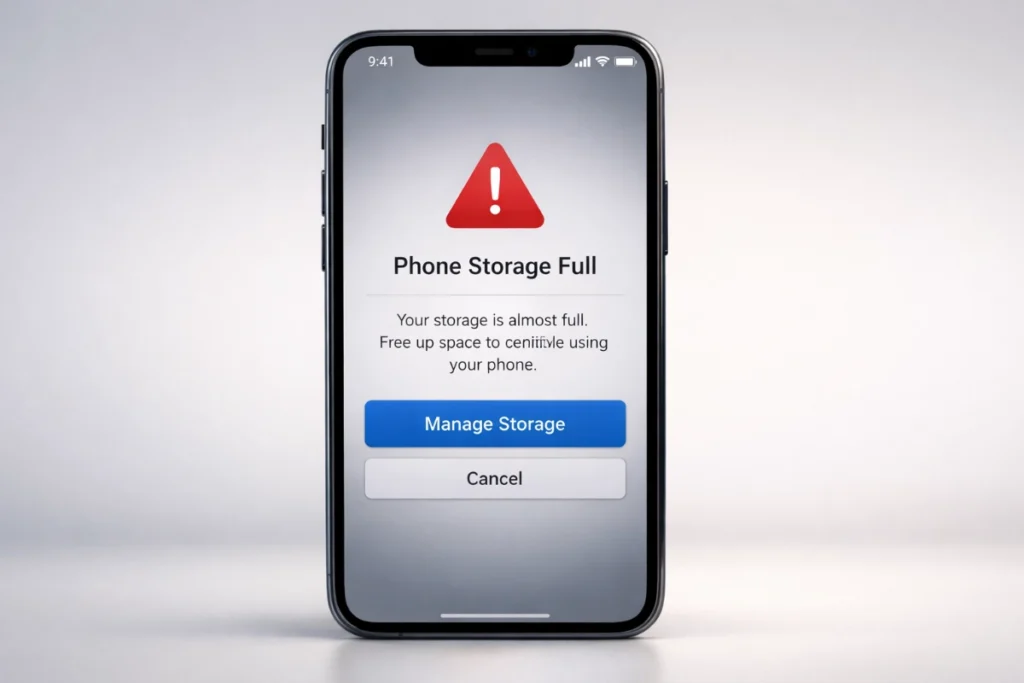
The result is frustrating. Phones slow down, cameras fail at essential moments, apps crash randomly, and software updates refuse to install. Many users assume their phone is old or defective when the real issue is that it no longer has enough free space to function properly.
To fix this correctly, you need to understand why phone storage fills up today, when problems actually begin, and which fixes are safe and which are harmful.
Phone storage is always whole because modern smartphones use free storage for system operations, Virtual RAM, AI models, and app cache. When available space drops below about 10–15%, the operating system can’t manage data efficiently, causing lag, app crashes, camera failures, and blocked updates—even if you haven’t saved many files
What Does “Phone Storage Full” Actually Mean?
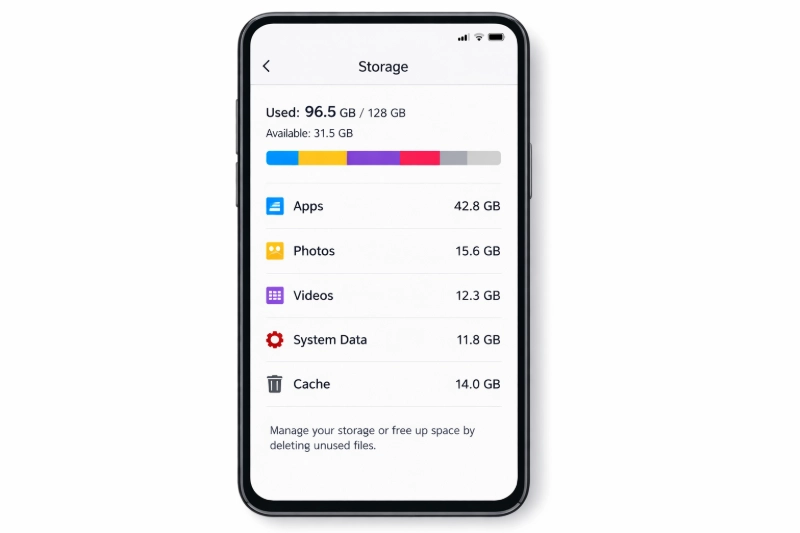
When your phone says storage is whole, it doesn’t mean your photos or apps take every gigabyte. It means the operating system no longer has enough free space to perform essential internal tasks.
Modern phones treat internal storage as an active working space. This space is required for app loading, background processing, security updates, and even typing. Once that breathing room disappears, the system begins to fail in ways that feel random but are entirely predictable.
This is why two phones with the same storage size can behave very differently depending on how much free space they have left.
Main Reasons Your Phone Storage Gets Full Quickly
One primary reason is system and AI storage bloat. Modern phones store large on-device AI models for features like offline voice recognition, clever photo editing, and real-time translation. These files can silently occupy tens of gigabytes.
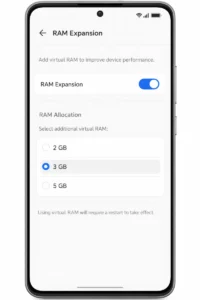
Another major contributor is Virtual RAM. Many phones enable RAM Expansion by default, permanently reserving part of your storage and using it as system memory. This space is locked and unavailable for personal use.
High-resolution media also play a significant role. Cameras now support 4K and 8K video, ultra-high-megapixel photos, and RAW formats. Just a few minutes of recording can wipe out gigabytes, especially on 128GB devices.
Apps themselves grow quietly over time. Social media apps cache videos, streaming apps auto-download content, and messaging apps duplicate media across chats. This hidden data often becomes the most significant storage drain without users realizing it.
How Storage Usage Has Changed Compared to Older Phones
A few years ago, phone storage issues were caused mainly by personal files like photos, videos, and installed apps. When storage was full, deleting a few videos or uninstalling an app usually solved the problem.
That is no longer true.
Modern smartphones use internal storage to operate. Storage now acts as temporary memory, a buffer for background tasks, a holding area for AI models, and a staging space for system updates. Even users who rarely take photos or install new apps can still run out of usable storage.
This shift explains why newer phones feel more sensitive to low storage than older models with the same capacity. A phone from five years ago could operate reasonably well with minimal free space. A modern phone cannot.
Today, managing storage is not optional housekeeping. It is a requirement for normal performance and stability
At What Point Does Full Storage Start Causing Problems?
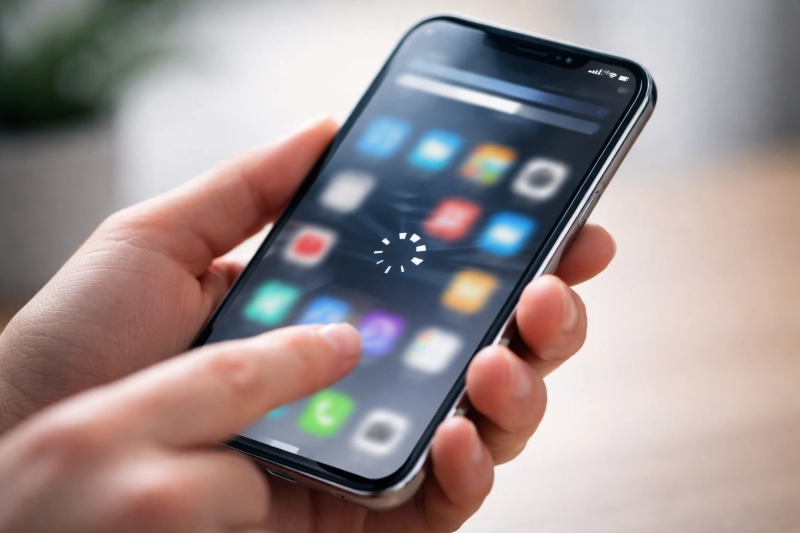
Storage problems don’t begin at 100 percent capacity.
Once usage reaches roughly 85-90 percent, the phone runs out of free space needed to move data efficiently. Background tasks slow down, app switching becomes heavier, and battery drain increases.
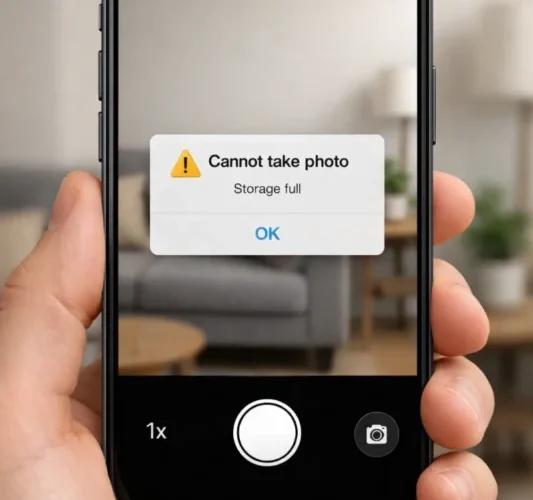
When storage reaches 95 percent or more, failures become obvious. Apps reload constantly, the camera may crash or refuse to record, and the phone may heat up during basic use. System updates often fail because there isn’t enough temporary space to unpack installation files.
This is why a phone can feel unusable even though it still technically has “some space left.”
How Full Storage Slows Down Your Phone
Modern phones depend on free storage to stay responsive.
Apps need temporary space to load content and store session data. Without it, social media apps show blurry thumbnails that never load, editing apps lag badly, and games crash unexpectedly. Even typing can feel delayed because predictive input relies on temporary files.
System updates also suffer. Updates are compressed files that require additional space to be unpacked safely. Without that buffer, updates fail repeatedly, leaving the phone stuck on
Why Free Storage Is Critical for System Stability
Phones do not use storage only to save files. They also use it as a safety buffer.
When apps run, data is constantly written and erased in the background. The operating system needs space to manage this process smoothly. If storage is nearly full, the system is forced to reuse the same small areas repeatedly.
This leads to three problems at once. Performance drops because data management becomes inefficient. Battery drain increases because the processor has to work harder to compensate. System stability suffers, causing freezes, crashes, and failed updates.
This is why keeping free storage is not a recommendation—it is a requirement for a stable phone.
Android vs iPhone: How Storage Issues Are Slightly Different
On Android phones, storage problems often appear as aggressive app reloading, rapid cache growth, and sudden slowdowns. Features like Virtual RAM can permanently reserve storage, potentially causing low-storage issues to appear sooner if enabled.
On iPhones, storage issues usually show up as large “System Data” usage, failed iOS updates, and camera recording errors. iOS relies heavily on free storage for system integrity, so updates may altogether refuse to install until enough space is cleared.
Despite these differences, the core rule is the same on both platforms: once free storage drops too low, performance and stability collapse.
How to Fix “Phone Storage Full” Safely
Fixing storage issues means reclaiming space that was taken silently—not deleting random apps.
One of the fastest improvements comes from reducing or turning off Virtual RAM. This can instantly free several gigabytes without touching personal data.
Clearing the system and app cache is equally essential. Background services and apps store large temporary files that are safe to remove. Restarting the phone afterward often triggers the cleanup of leftover system files.
One of the quickest improvements is reducing or disabling Virtual RAM, which can immediately free several gigabytes of storage without affecting your personal data.
Messaging apps are another significant source of hidden clutter. They store forwarded videos, duplicated images, and extensive internal databases. Cleaning storage inside the app is far more effective than deleting entire chats.
Quick Checklist: What to Do When Your Phone Storage Is Full
Use this checklist if your phone suddenly slows down or shows a storage warning:
- Check how much free storage is left (aim for at least 20% free)
- Turn off or reduce Virtual RAM / RAM Expansion
- Empty the Recently Deleted folder
- Clear cache inside large apps (WhatsApp, Instagram, YouTube)
- Restart the phone to clear temporary system files
- Move large videos or backups to cloud or external storage
- Avoid cleaner or RAM booster apps
- Do not force system updates without enough space
If several of these steps are skipped, storage problems will return.
Common Mistakes That Make Storage Problems Worse
Deleting system folders using file manager apps is dangerous. These folders often contain security data, AI models, or core system components. Removing them can cause boot loops or break biometric unlock.
Cleaner or RAM booster apps are another mistake. Most do not remove deep storage bloat. They clear the temporary cache that the system immediately rebuilds, wasting battery and processing power.
Keeping storage full is also harmful. Flash storage needs free space to distribute wear evenly. Running a phone near 100 percent capacity for long periods accelerates hardware degradation.
How to Prevent Your Phone Storage From Filling Up Again
Prevention is easier than constant cleanup.
Use high-efficiency photo and video formats to reduce file size without visible quality loss. Keep daily video recording at standard 1080p or moderate 4K, not 8K.
Disable automatic media downloads in messaging apps so group chats do not silently fill your gallery. Set cache limits in streaming apps to prevent uncontrolled growth.
Most importantly, maintain a buffer. Keeping at least 20 percent of storage free allows the operating system to update, manage memory, and run smoothly.
How Much Storage Do You Actually Need in 2026?
Many users buy phones with storage that is already outdated at launch.
In 2026, 128GB will no longer be comfortable for most users. After system files, reserved storage, and AI components, usable space often drops below 90GB. A few months of regular use can push the phone into the danger zone.
For average users who take photos, use social apps, and record occasional videos, 256GB is now the practical minimum. Users who record frequent videos, edit content, or keep files offline should consider 512GB or more.
Choosing enough storage upfront is often cheaper than constant cleanup or long-term cloud subscriptions later.
Final Thoughts
Your phone storage is always full because smartphones now rely on storage to survive, not just to store files. AI features, Virtual RAM, system data, and high-resolution media quietly consume space in the background.
Fix the hidden causes, keep free space available, and your phone will stay fast, stable, and reliable—without constant cleanup.
Phone Storage Full: Common Questions Answered
Why does my phone storage stay full even after deleting files?
Deleted files stay in the “Recently Deleted” folder, and phones also reserve storage for system processes and Virtual RAM. When does full storage start slowing down a phone?
Usually, after storage usage crosses 85–90%. Why does the camera stop working when storage is full?
The camera needs temporary space to save photos and videos. Without it, recording fails. What is “System Data” and why is it so large?
It includes the OS, temporary files, AI models, and Virtual RAM required for operation. Can full phone storage damage the device over time?
Yes. Keeping storage nearly full increases flash memory wear and shortens lifespan.
Deleted files stay in the “Recently Deleted” folder, and phones also reserve storage for system processes and Virtual RAM.
Usually, after storage usage crosses 85–90%.
The camera needs temporary space to save photos and videos. Without it, recording fails.
It includes the OS, temporary files, AI models, and Virtual RAM required for operation.
Yes. Keeping storage nearly full increases flash memory wear and shortens lifespan.